Latest Updates Click Here


Best Tools for Free Image to PES Embroidery File Conversion in 2026
Looking for free tools to convert images to PES embroidery files in 2026? Discover the best options—from open-source software to free trials—and learn what actually works
Introduction
Let me guess. You have a great image you want to turn into an embroidery design. Maybe it is a logo for a project, a cute design for a gift, or just something fun you want to stitch. You search online for a free way to do it, and you are flooded with options. Some promise instant conversion. Others look complicated and technical. And honestly, it is hard to know which ones actually work. I have been there. I have tried the free tools, the trial software, and even the paid programs. And I have learned a lot along the way. That is why I want to walk you through the best tools for Free Image to PES Embroidery File Conversion in 2026. Not the ones that promise the world and deliver nothing. The ones that actually get the job done. We will talk about what works, what does not, and how to get the best results without spending a dime. So grab a coffee, and let us dive in.
First, Let Us Clear Up a Common Misconception
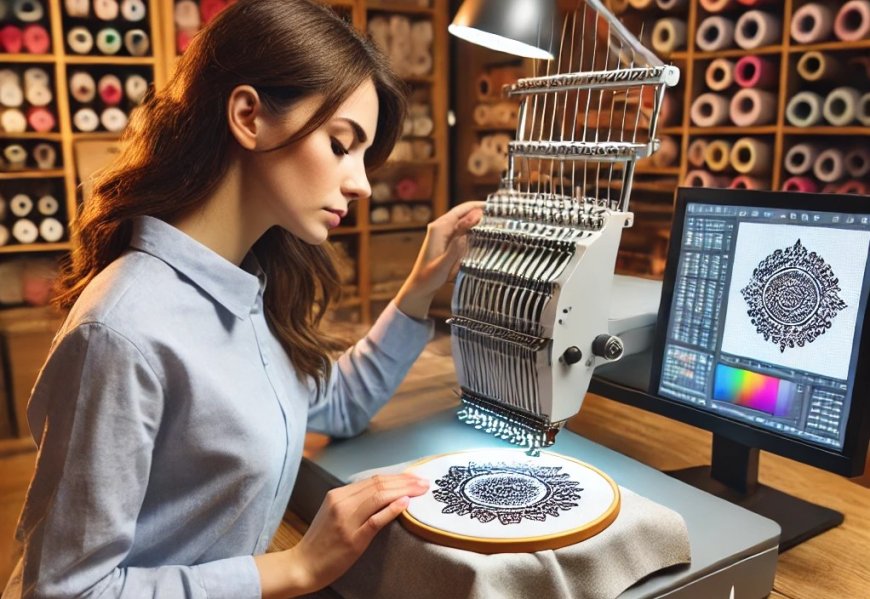
Before we talk about tools, I need to address something that trips up a lot of beginners. You cannot just rename a file from .jpg or .png to .pes and expect it to work on your machine . A regular image file contains pixels—tiny colored dots that look good on a screen. But a PES file contains stitch data. It tells your machine exactly where to put the needle, what kind of stitch to use, how dense the stitches should be, and when to change thread . This is called digitizing, and it is the process of translating a visual image into a language your embroidery machine understands.
So when we talk about free image to PES conversion, we are really talking about free digitizing tools. And the truth is, some of them are decent. Others are frustratingly bad. The key is knowing which ones to use and what to expect from them.
The Honest Truth About Free Online Converters
Let us start with the most common option. You search "convert image to PES free" and you find a bunch of websites that let you upload your image and download a PES file in seconds. These are called auto-digitizing tools. They use algorithms to guess where stitches should go based on the colors and shapes in your image.
The good news is that these tools are getting better. For very simple designs with solid colors and no fine detail, they can produce a passable result . The bad news is that they often fail when the design gets complicated. Small text, overlapping shapes, and gradients usually turn into a mess. The files they produce are often too dense, which causes puckering and thread breaks . They also lack something called pull compensation, which is the adjustment digitizers make to account for how fabric stretches under stitches .
So if you are converting a simple heart or a basic shape, an online converter might work. But if you are working on a detailed logo or anything with text, you are probably going to be disappointed.
Ink/Stitch: The Gold Standard for Free Digitizing
If you are serious about digitizing your own designs for free, you need to know about Ink/Stitch. It is an open-source extension for Inkscape, which is a free vector graphics program . Together, they give you professional-level control over your digitizing.
Here is how it works. You create or import a vector image in Inkscape. Then you use Ink/Stitch to add embroidery parameters to each element of the design . You can choose the stitch type—satin, fill, or running stitch. You can adjust the density, the underlay, and the stitch angle. You can plan the stitch order to minimize jump stitches and thread changes . Then you run the simulator to preview how it will stitch out, and you export it as a PES file .
The catch? There is a learning curve. Ink/Stitch does not hold your hand. You need to understand how embroidery works and be willing to learn the software . But there is an active community and a ton of tutorials online to help you get started . If you are willing to put in the time, Ink/Stitch is the most powerful free tool out there.
SophieSew: A Dedicated Free Program
Another option is SophieSew. This is a standalone program for Windows that lets you digitize manually from scratch . It is completely free and has been around for a while.
The good news is that SophieSew is capable of producing professional-grade files. It gives you control over stitch types, densities, and paths . The bad news is that the software is outdated and can be unstable . It lacks modern features and often crashes when handling complex designs or high-resolution images . It also does not hold your hand, so you need to know what you are doing. If you are patient and willing to deal with some frustration, SophieSew can work. But for most beginners, Ink/Stitch is a better choice.
SewArt: A Free Trial Option
SewArt is another program that often comes up in discussions of free digitizing. It is not completely free, but it offers a 30-day free trial that gives you full access to its features . This makes it a great option if you only need to convert a few designs.
SewArt is more beginner-friendly than Ink/Stitch or SophieSew. It is designed for hobbyists who want to digitize simple logos and clipart . It supports a wide range of embroidery formats, including PES. The trial period gives you enough time to test it out and see if it meets your needs. If it does, you can decide whether to buy it. If not, you have lost nothing.
Brother Artspira: A Mobile Option for Brother Users
If you own a Brother embroidery machine, you should check out the Artspira app. It is a mobile app that lets you edit, design, and transfer embroidery designs to your wireless-enabled Brother machine . Artspira is free to download and use, but the image-to-embroidery conversion feature requires a subscription to Artspira+ .
The app is convenient because you can work from your phone or tablet. You can draw your own designs, edit existing ones, and even use AR to see how a design will look on your project before you stitch it out . However, user reviews suggest that the auto-digitizing feature is not the best. One user called it "horrible," saying that even a very simple design came out "choppy and basic" . So if you use Artspira, go in with realistic expectations.
When Free Tools Are Not Enough
Here is the hard truth. Free tools are great for learning and for simple projects. But if you are running a business or need a perfect stitch-out on an important job, free tools often fall short. Professional digitizers use expensive software like Wilcom Hatch or Brother PE-Design . They have years of experience and know how to optimize files for specific fabrics and machines.
A professional digitizer will set the right underlay to prevent puckering. They will choose the right stitch angles to make the design pop. They will adjust the density so the design looks good without being too heavy. They will test the file and provide revisions until it is perfect. This level of expertise is not something you can get from a free tool.
So if you are making a gift for a friend or just experimenting, go ahead and use the free tools. But if you are producing commercial work or need a flawless result, consider hiring a professional. It is an investment that pays off in quality and peace of mind.
Tips for Getting Better Results with Free Tools
Whether you choose Ink/Stitch, SophieSew, or an online converter, there are things you can do to improve your results.
Start with a high-quality image. A blurry or pixelated image will not convert well . Clean up your design by removing unnecessary background and simplifying the colors. Try to limit the color palette to five or six colors. Each color represents a thread change, and too many colors slow down production .
If you are using an online converter, keep your expectations realistic. Auto-digitizing tools work best on simple, high-contrast designs. Do not expect them to handle complex logos or photographs. Always run a test stitch on scrap fabric before you commit to your final project. This will catch any issues before they ruin your expensive material .
Conclusion
Converting an image to a PES embroidery file for free is absolutely possible. But the best tool for you depends on your needs and your willingness to learn.
If you want power and control and you are not afraid of a learning curve, Ink/Stitch is the way to go. It is the gold standard for free digitizing and gives you professional-level results. If you prefer a dedicated program and do not mind some instability, SophieSew is an option. If you only need a few conversions and want something beginner-friendly, try the SewArt free trial. And if you are a Brother user who wants a mobile solution, check out Artspira.
Just remember, free tools have limitations. They are great for learning and for simple projects. But for commercial work or complex designs, professional digitizing is worth the investment. So choose the tool that fits your needs, test your files, and have fun bringing your designs to life one stitch at a time
Share On :
Tweet | LinkedIn | |