A personal duress alarm lets lone workers call for help with one press. This guide explains how to match device types, features, and monitoring to your team’s risks, where an Emergency Wrist Watch fits, and how to test before rollout.
A personal duress alarm is a small device or app function that lets a worker call for urgent help with a single press. Choosing the right personal duress alarm for staff who work alone comes down to a few practical checks: how easy it is to trigger, how accurately it shares location, and what happens after the alert is sent. In this guide, we’ll walk through each step, including where an Emergency Wrist Watch fits in. Take it one step at a time, and the right choice becomes much clearer.
A personal duress alarm is a safety tool carried or worn by a worker. When pressed, it sends an alert and the worker’s location to a supervisor, a monitoring team, or an emergency contact. Many are silent, so nobody nearby can tell that help was requested.
Unlike a fixed panic button on a wall, a personal alarm moves with the worker. That makes it suited to roles such as home care, security, real estate, field service, and late-night retail.
No two jobs carry the same risk, so begin with the work itself. Ask where staff go, who they meet, and what could go wrong.
Useful questions include:
A simple risk assessment answers these questions. The results shape which device type, features, and monitoring level fit your team.
Once the risks are clear, compare features. These matter most:
Not every job needs every feature. Match the list to the risks you identified.
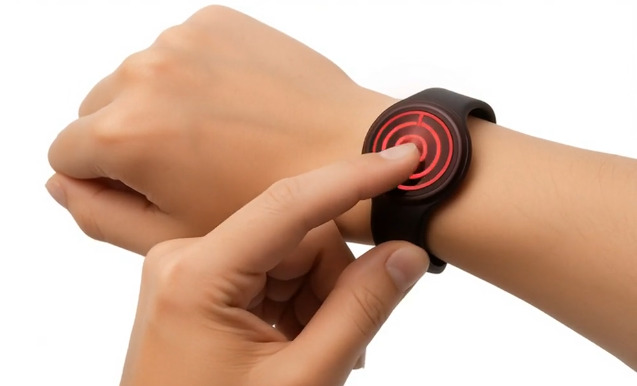
A phone in a bag or vehicle is hard to reach after a fall or during a confrontation. An Emergency Wrist Watch keeps the alert button on the body at all times, so help is one press away.
This format suits workers who:
When comparing watch-style devices, check for a clear SOS button that is hard to press by accident, built-in GPS, fall detection, and water resistance. Battery life and ease of charging also matter, because a flat device protects nobody.
Personal duress alarms come in a few forms:
Many organisations mix types. For example, office-based staff may use app buttons while field staff wear a wrist device.
An alarm is only as useful as the response behind it. Ask who receives the alert, how quickly, and what happens if they do not act.
A clear process includes:
Workers use tools they trust. Explain what the device tracks, when it tracks, and who can see the data. Tracking limited to alerts and active shifts is usually better received than constant monitoring.
Involve staff early. Ask them to test devices and share feedback on comfort and ease of use. A device that feels awkward tends to be left in a drawer.
Even a good device can fail if the setup is weak. Watch out for these:
Short training sessions and regular test alerts keep the system dependable.
A trial on real sites shows problems that a demo hides. Run a short pilot with a small group, then check that:
Fix any gaps first, then expand to the wider team.
Work health and safety laws in Australia require businesses to manage risks to workers, including those who work alone. Safe Work Australia publishes guidance on managing these risks.
A personal duress alarm is not required in every case. It is, however, a practical control that many businesses use as part of their duty of care.
Choosing a personal duress alarm starts with understanding the risks your staff face, then matching features, device type, and monitoring to those risks. An Emergency Wrist Watch can be the right fit when a phone is not always within reach, and a simple pilot confirms that everything works in the real world.
To put this into practice, review your lone work risks, shortlist two or three devices, and run a short trial before rolling one out to the whole team.