Redesign your website without losing SEO rankings. Follow 9 essential steps to protect organic traffic, preserve rankings, and improve AI search visibility.
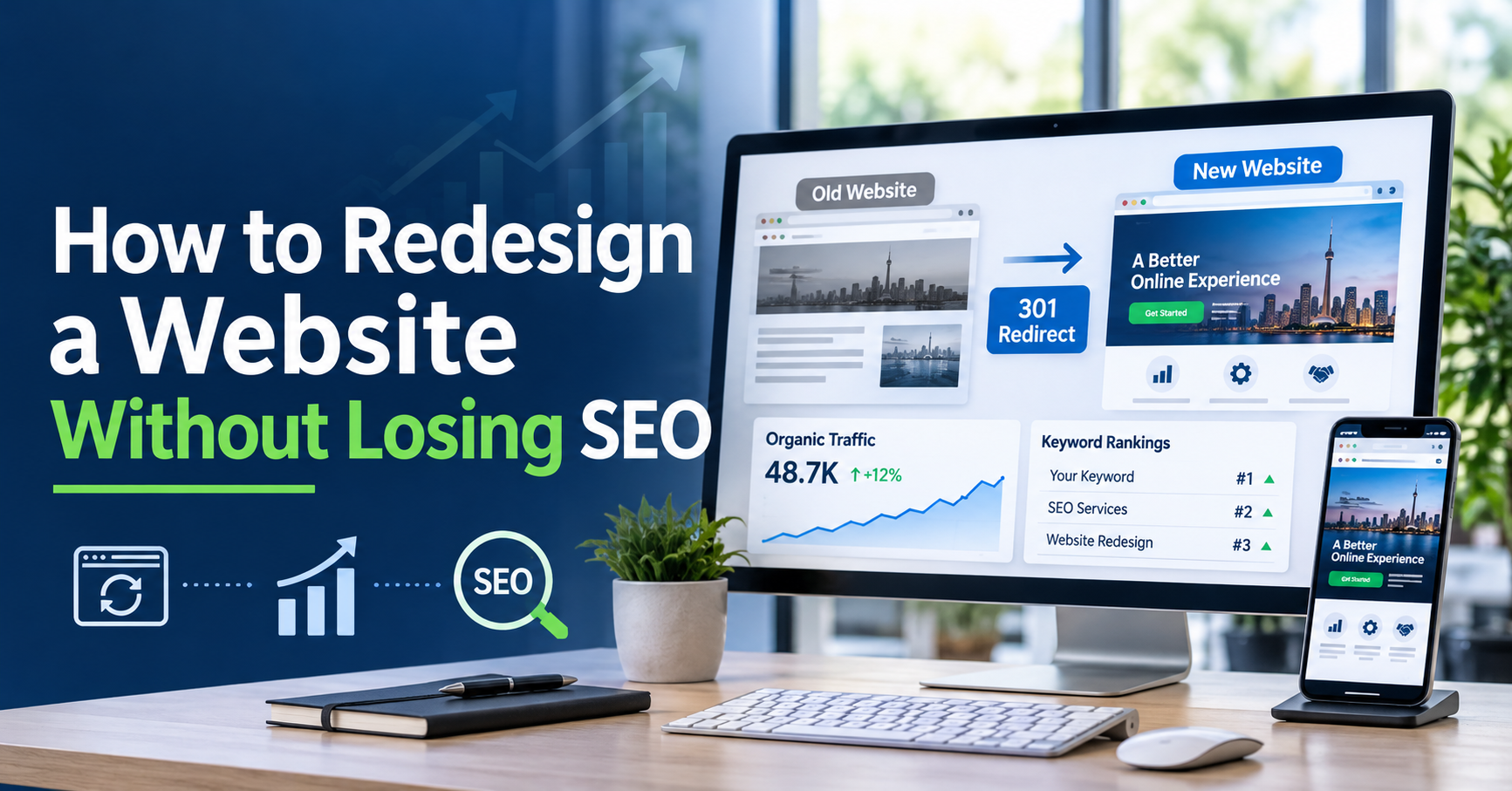
To redesign a website without losing SEO, audit your current rankings, map every old URL to a new one with 301 redirects, keep the content that already performs, test everything on a staging site, and monitor your traffic for 90 days after launch.
That's the short version. Here's why it matters.
A beautiful new site that loses half its traffic is a failed redesign. Rankings you spent years earning can vanish in a week if URLs break, pages disappear, or the new build loads slowly.
There's a second layer in 2026. People now ask ChatGPT, Gemini and Perplexity for answers. If those tools can't read your new pages, you lose visibility there too.
This guide gives you a nine-step playbook. No fluff. Just what to do, in order.
Redesigns hurt SEO when Google sees a different site from the one it ranked. URLs change, content gets cut, and speed drops. Rankings follow.
The usual culprits:
Broken or changed URLs with no redirects
Deleted pages that earned traffic or backlinks
Thin or rewritten content that no longer matches search intent
Slower load times from heavy images, sliders and scripts
Content hidden in JavaScript that crawlers can't read
Staging settings left on, like a noindex tag that blocks Google
Picture this: a company with 200 ranking pages relaunches and redirects only the homepage. The other 199 pages return 404 errors. Their traffic falls off a cliff.
Most of these mistakes are avoidable. They just need a plan before the designer starts on the new layout.
Before the redesign starts, record where you stand today. Without a baseline, you can't prove a win or spot a loss.
Capture these:
Top pages by organic traffic (Google Search Console and GA4)
Top 20 keywords and their current positions
Backlinks pointing to each important page
A full crawl of your site with a tool like Screaming Frog
Core Web Vitals scores for your key pages
Conversions tied to organic traffic (leads, sales, calls)
Save it all in one spreadsheet. Take screenshots too.
Do this today: export your top 50 pages from Search Console. That list is the one you protect first.
A redesign is a good time to clean house. But don't delete on gut feeling. Use data.
Sort every page into one of four buckets:
|
Decision |
When to use it |
What to do |
||
|
Keep |
Page ranks well or earns backlinks |
Leave the URL and copy alone |
||
|
Improve |
Page has traffic but is weak or outdated |
Update content, keep the URL |
||
|
Merge |
Several pages cover the same topic |
Combine into one, 301 redirect the rest |
||
|
Remove |
No traffic, no links, no value |
Delete, then redirect or return a 410 |
The golden rule: never delete a page that earns traffic or backlinks.
Also check which pages already show up in AI answers. Search your brand and your main services in ChatGPT and Perplexity. If a page gets cited, treat it like gold.
This step makes or breaks the whole project.
A 301 redirect tells Google that a page has moved for good, and passes its ranking signals to the new address. Skip it and those signals are lost.
Follow these rules:
Keep URLs the same wherever you can. No redirect is the best redirect.
Build a redirect map in a spreadsheet: old URL in one column, new URL in the next.
Match by relevance. Send each old page to its closest new page.
Avoid redirect chains (A to B to C). Point A straight to C.
Never send everything to the homepage. Google may treat that like a soft 404.
Redirect old images and PDFs that have backlinks too.
Keep the redirects live for at least a year, as Google's site-move guidance advises. Test the map on staging before launch day. Fixing it later costs traffic.
Never redesign on your live site. Use a staging copy.
Set it up right:
Block indexing with a password and a noindex tag, so Google doesn't see two versions of your site
Run a full crawl and compare it with your baseline
Check every template for title tags, meta descriptions, H1s, canonical tags (which tell Google the main URL) and internal links
Test on real phones, not just a resized browser window
Remove the noindex tag at launch. Put it on your launch checklist. Forgetting is one of the costliest mistakes in SEO.
Staging is where you catch problems while they're still cheap.
Designers want clean, minimal pages. SEO needs words. You can have both.
Protect these elements:
Title tags and H1s on pages that already rank
Body copy that answers the search query. Don't cut it for white space.
Image alt text and file names
Internal links between related pages
Heading structure: one H1, then H2s and H3s in order
Schema markup (Article, FAQ, Product, LocalBusiness)
Watch for hidden text. If key copy sits inside tabs, accordions, sliders or images, check that search engines can still read it.
Want a simple test? View the page with JavaScript turned off. If your main content disappears, crawlers may struggle too.
Google ranks the mobile version of your site first. If your redesign looks great on a laptop and clunky on a phone, rankings suffer.
Speed checklist:
Compress images and use modern formats like WebP
Lazy-load images below the fold
Cut heavy scripts, auto-playing video and stacked pop-ups
Set image dimensions to prevent layout shift
Test Core Web Vitals (loading, interactivity, visual stability) on staging
A redesign should make your site faster than before. If it doesn't, push back on the build.
Many redesign guides stop at traditional SEO. That's a gap. Search now includes AI answers, and your new site should be built for them from day one.
AI search optimization means structuring your pages so answer engines can find, understand and cite them. That takes clear headings, direct answers, schema markup and crawlable content.
Build these into the redesign:
Answer-first paragraphs. Open each section with a direct 40-50 word answer, then expand.
Question-style headings that match how people actually ask.
FAQ, HowTo and Article schema on the right pages
Consistent entity details. Use the same business name, services and location across your site and profiles.
AI crawler access. Check robots.txt so you're not accidentally blocking the bots that feed AI tools.
Clean, text-based content that models can read, not buried in images or scripts
Optional: an llms.txt file that points AI tools to your key pages. It's unproven, so treat it as a bonus, not a fix.
This is Answer Engine Optimization (AEO) and Generative Engine Optimization (GEO) built into the project, not bolted on afterward. It's also the work a good AI search optimization company Canada brands trust will fold into your redesign brief.
One honest note: nobody can guarantee a specific AI answer. What you can do is make your content easy to read, easy to trust and easy to cite.
Launch day is where careful planning pays off. Work from a checklist, not memory.
Before you go live:
Push the 301 redirects and test a sample of old URLs
Remove the staging noindex tag and password
Check robots.txt for accidental blocks
Submit the new XML sitemap in Google Search Console
Confirm canonical tags point to the right URLs
Test forms, checkout and tracking (GA4, tag manager, pixels)
Crawl the live site and compare it with your baseline
Pick a low-traffic day. Don't launch right before a sale, a campaign or a holiday rush.
Have your developer on call for the first 48 hours. Small bugs show up fast.
Launch isn't the finish line. The first three months decide whether your rankings hold.
Check weekly:
Indexing status in Search Console
404 errors and crawl errors
Keyword rankings against your baseline
Organic traffic and conversions against the same weeks last year
Core Web Vitals on key pages
AI visibility. Ask ChatGPT, Gemini and Perplexity your top 10 customer questions once a month and track whether you're mentioned.
How much dip is normal? A small, short wobble is expected while Google re-crawls. As a rule of thumb, a drop of 20-30% or more that doesn't recover within a few weeks is a red flag. Dig into redirects, indexing and page speed right away.
You can handle a small brochure site yourself. Bigger projects carry more risk.
Consider getting help if:
Your site has 500+ pages
You run ecommerce with product variations and filters
You're changing platforms (for example, moving to Shopify or WordPress)
Your site is bilingual, in English and French
You've lost traffic after a past redesign
If you go that route, a good AI search optimization company Canada businesses can rely on should do more than rewrite titles. Many AI search optimization agencies in Canada now offer AEO and GEO. Not all of them combine that with real migration experience.
When you compare the best AI search optimization agencies in Canada, ask these questions:
Do they audit before design starts? SEO should be in the brief, not added at the end.
Can they show redirect and migration work? Ask for examples.
Do they cover both SEO and AI search? One without the other leaves gaps.
How do they report AI visibility? Look for real questions tested across real tools.
Do they promise guaranteed AI rankings? If yes, walk away.
At NJ Marketing Inc, we treat the redesign and the search strategy as one project. The goal is simple: a site that looks better and ranks better.
It can, but it doesn't have to. Most ranking losses come from broken URLs, deleted content and slow pages. With a baseline audit, a redirect map and staging tests, you can protect your rankings and often improve them.
With a clean launch, rankings often settle within a few weeks to a few months. If redirects or indexing are broken, recovery can take longer. Timing varies by site size and how much changed. Monitor closely for 90 days and fix problems quickly.
No. Unchanged URLs don't need redirects. Any URL that changes, merges or is removed does need a 301 redirect to its closest new page.
Keep your best pages and their URLs. Use answer-first paragraphs, clear headings and schema markup. Don't block AI crawlers in robots.txt, and test your key questions in AI tools each month. If you need help, AI search optimization agencies in Canada can audit this for you.
Look for proven migration experience, strong technical SEO, AEO and GEO skills, and clear AI-visibility reporting. Avoid any agency that guarantees a specific AI answer.
It's safer to split them. Changing design, platform and URLs together multiplies risk and makes problems harder to trace. If you must combine them, plan extra testing.
A redesign should grow your traffic, not reset it.
Here's the playbook in one line: audit, decide, redirect, test, protect, launch, monitor.
Do the work before launch and your new site can rank better, load faster and show up in AI answers too.
Planning a redesign and want to protect what you've built? Talk to NJ Marketing Inc, an AI search optimization company Canada brands can trust, for a pre-redesign SEO and AI-visibility audit.